8. 函数调用(Function Calling)


功能介绍

函数调用功能允许用户定义一组自定义函数的描述(Schema),模型会根据用户的自然语言请求,自动判断应该调用哪个函数,并生成结构化的函数调用参数。这是构建 AI Agent(智能体)和集成外部 API 的关键能力。

需要注意的是,Google AI Studio 中的函数调用并不会真正执行用户定义的函数——它只是模拟函数调用过程,帮助用户测试模型是否能正确理解意图并生成正确的参数。实际的函数执行需要在用户的应用代码中完成。

使用方法
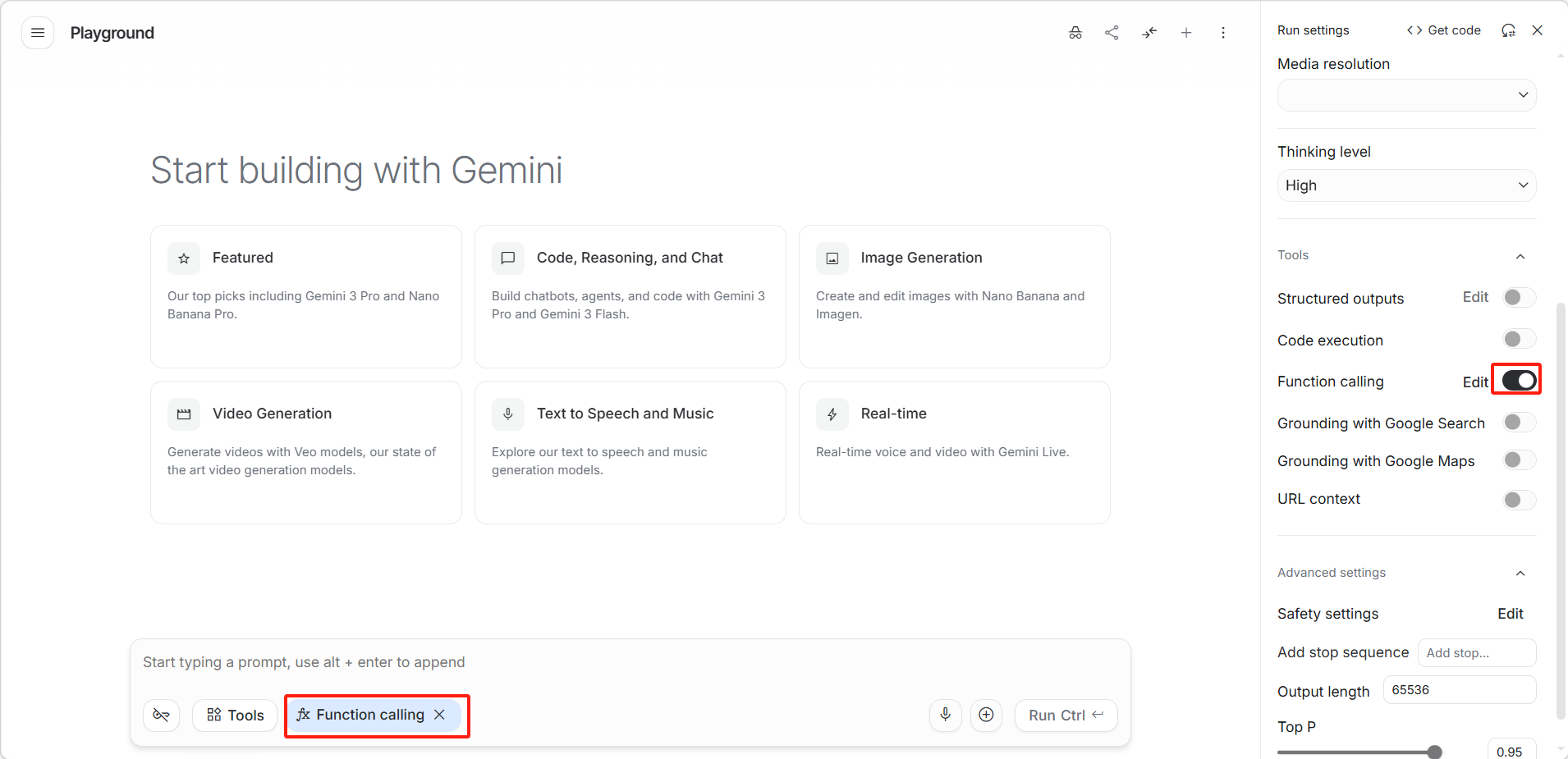
image-20260330181026182

在右侧「Run settings(运行设置)」面板的「Tools(工具)」区域中,开启「Function calling(函数调用)」开关。
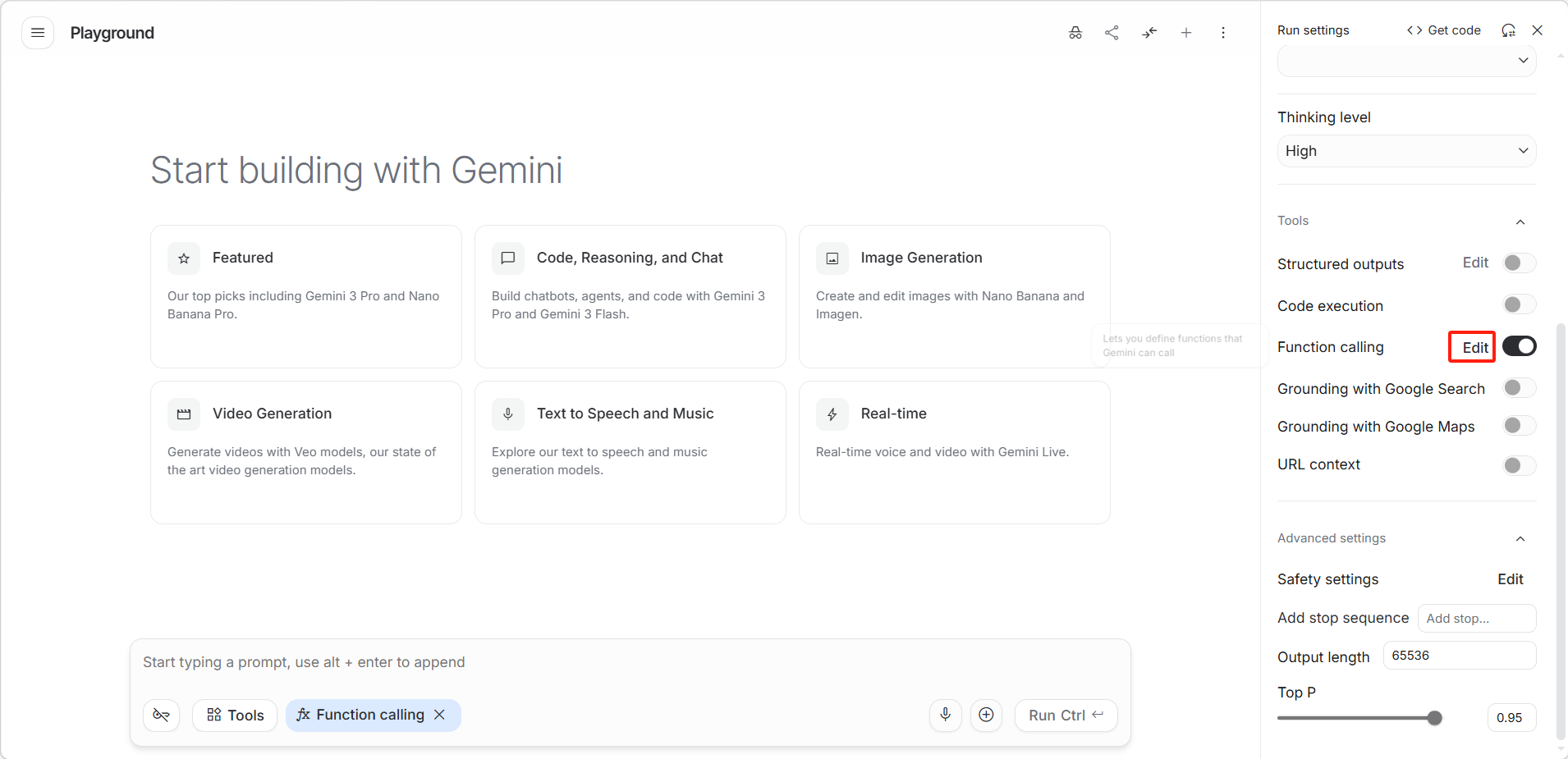
image-20260330181828459

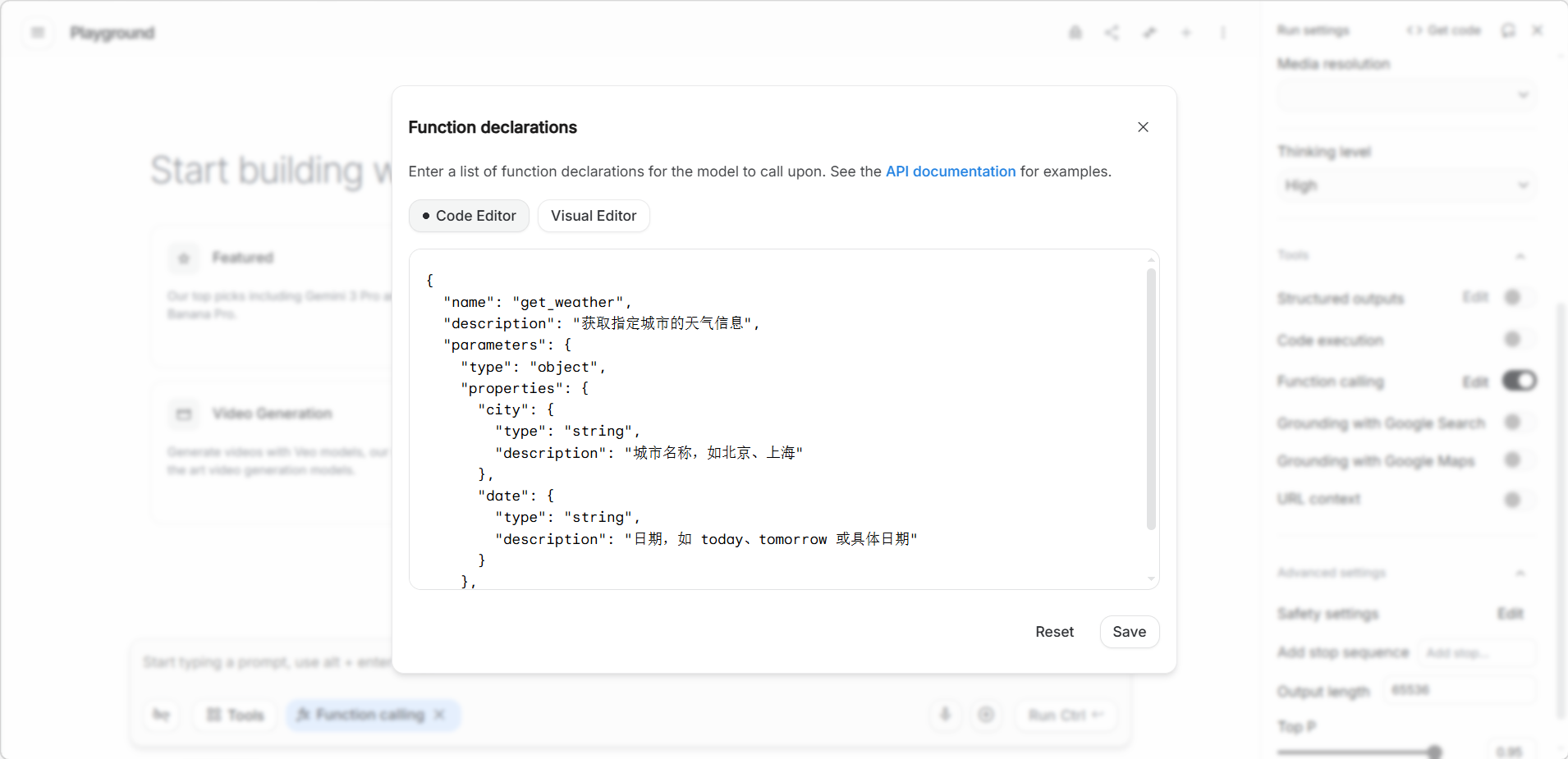
点击「Edit(编辑)」定义函数 。

image-20260330181115200

编写要定义的函数。

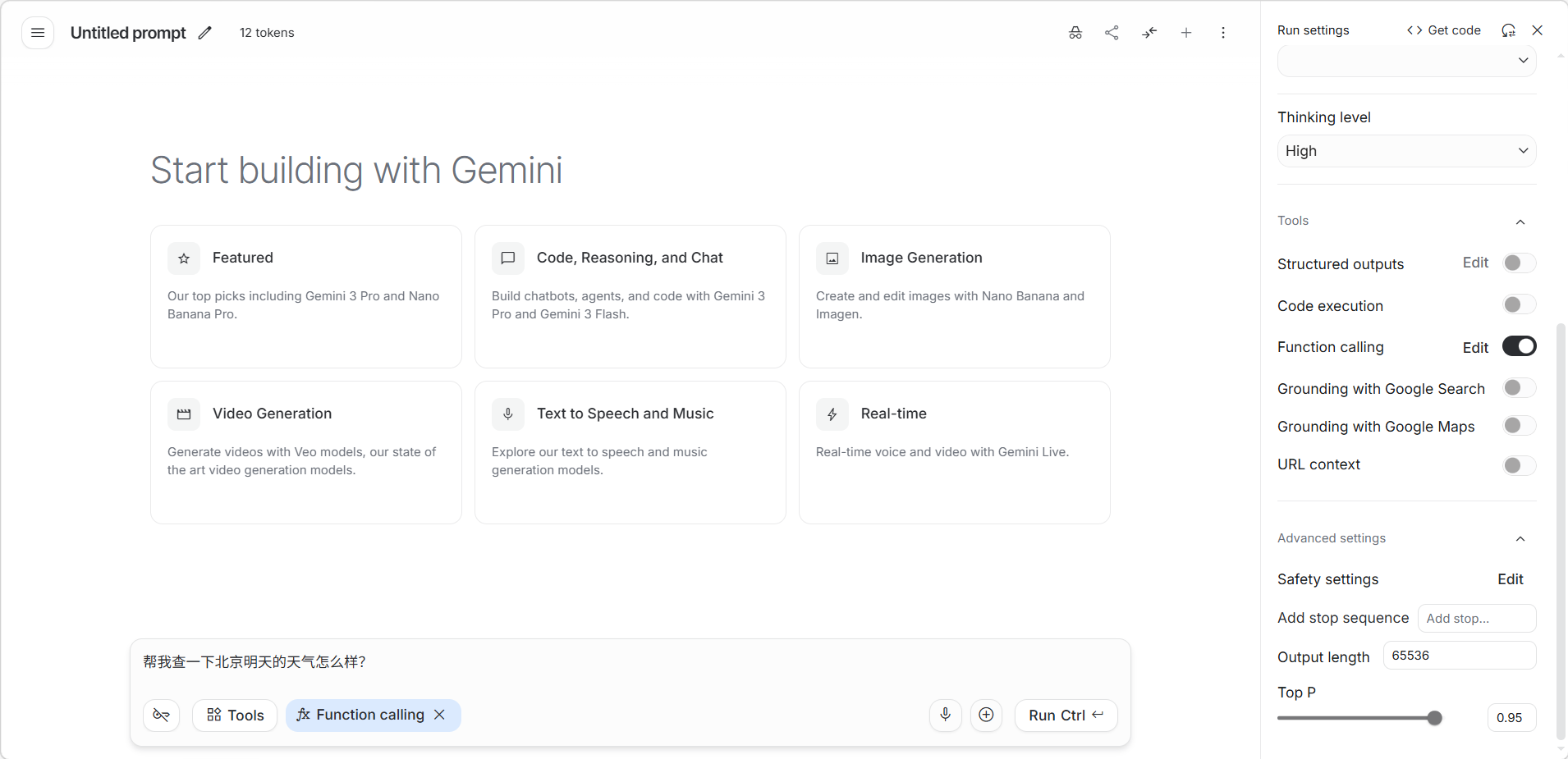
image-20260330181950820

保存后在对话框输入需求即可使用函数。

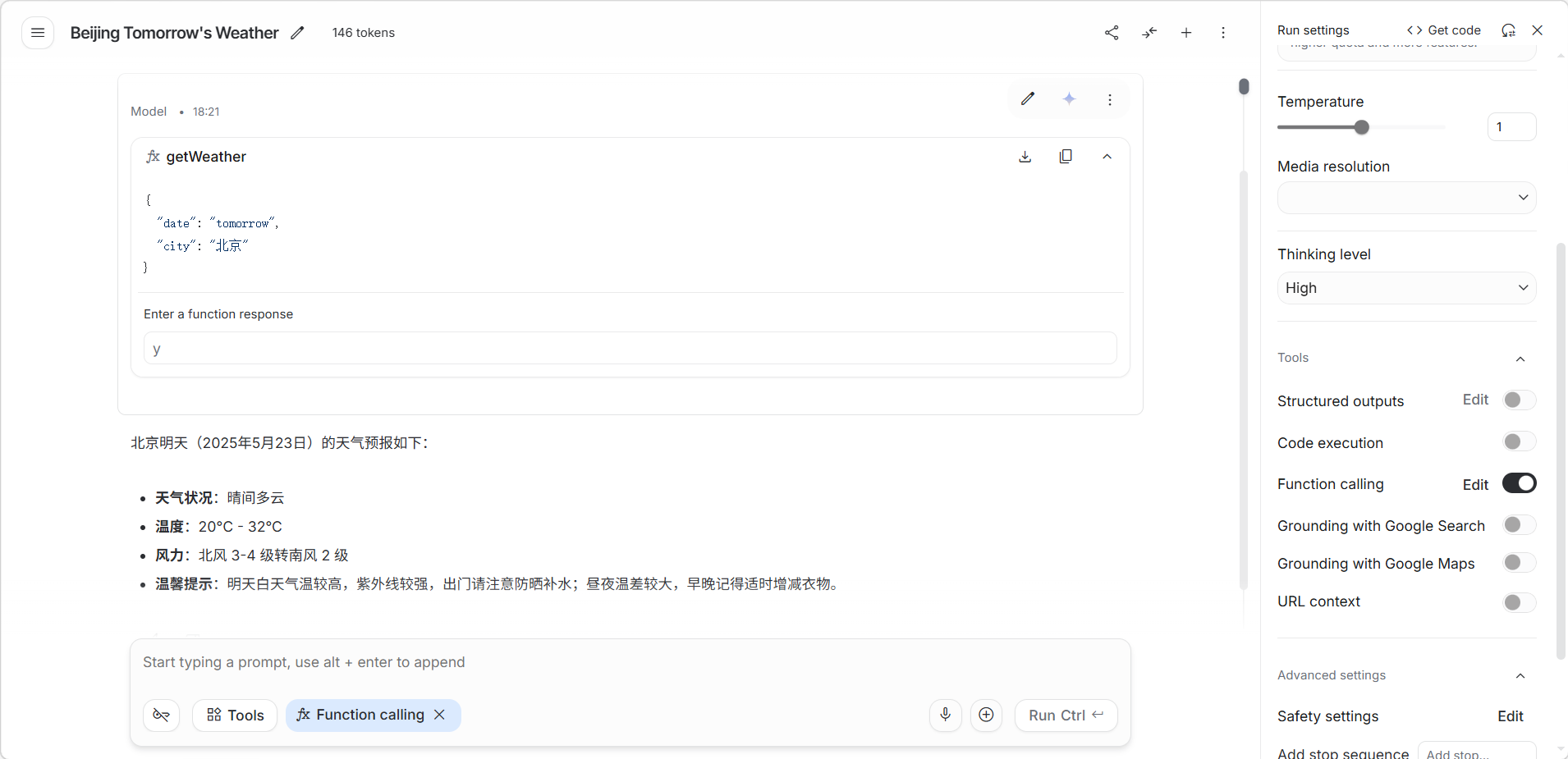
image-20260330182202810

输出效果展示。

如何定义函数

函数定义包括:

  • 函数名称:如 get_weather
  • 函数描述:用自然语言描述函数的用途
  • 参数定义:每个参数的名称、类型和描述

工作流程

  1. 用户输入自然语言请求(如"上海今天天气怎么样")
  2. 模型识别意图,决定调用 get_weather 函数
  3. 模型生成结构化参数(如 {"city": "上海", "date": "today"}
  4. 用户的应用代码执行实际的 API 调用
  5. 将结果返回给模型,模型组织成自然语言回复

适用场景

场景函数示例
天气查询get_weather(city, date)
订单管理create_order(product, qty)
日程管理add_event(title, time)
数据库查询query_database(sql)
邮件发送send_email(to, subject, body)

示例

示例一:天气查询函数

“帮我查一下北京明天的天气怎么样?”

{
  "name": "getWeather",
  "description": "获取指定城市的天气信息",
  "parameters": {
    "type": "object",
    "properties": {
      "city": { "type": "string", "description": "城市名称,如北京" },
      "date": { "type": "string", "description": "日期,如 tomorrow" }
    },
    "required": ["city"]
  }
}

示例二:商品搜索函数

“在商城里搜一下500元以内的蓝牙耳机,按销量从高到低排序。”

{
  "name": "searchProducts",
  "description": "在商城中搜索商品",
  "parameters": {
    "type": "object",
    "properties": {
      "keyword": { "type": "string", "description": "搜索关键词" },
      "maxPrice": { "type": "number", "description": "最高价格限制" },
      "sortBy": { 
        "type": "string", 
        "enum": ["sales", "price_asc", "price_desc", "rating"],
        "description": "排序规则" 
      }
    },
    "required": ["keyword"]
  }
}

示例三:日程安排函数

“帮我安排一个明天下午2点的视频会议,主题是‘项目进度汇报’,邀请张三和李四参加,预计开1个小时。”

{
  "name": "scheduleMeeting",
  "description": "安排一次会议日程",
  "parameters": {
    "type": "object",
    "properties": {
      "title": { "type": "string", "description": "会议主题" },
      "participants": { "type": "array", "items": { "type": "string" }, "description": "参会人列表" },
      "startTime": { "type": "string", "description": "开始时间(ISO格式或描述性文字)" },
      "durationMinutes": { "type": "integer", "description": "时长(分钟)" }
    },
    "required": ["title", "participants", "startTime"]
  }
}

示例四:销售数据查询函数

“我想看看华东地区今年第一季度电子产品的销售统计数据。”

{
  "name": "querySalesData",
  "description": "从数据库查询特定销售指标",
  "parameters": {
    "type": "object",
    "properties": {
      "region": { "type": "string", "description": "地区,如华东、华北" },
      "category": { "type": "string", "description": "产品类别" },
      "startDate": { "type": "string", "description": "查询起始日期" },
      "endDate": { "type": "string", "description": "查询结束日期" }
    },
    "required": ["region", "startDate", "endDate"]
  }
}

示例五:邮件发送函数

“给老王发封邮件,地址是 [email protected],主题叫‘下周计划’,正文写‘请查收附件中的下周计划表’,顺便抄送给小李。”

{
  "name": "sendEmail",
  "description": "发送一封电子邮件",
  "parameters": {
    "type": "object",
    "properties": {
      "to": { "type": "string", "description": "收件人邮箱" },
      "subject": { "type": "string", "description": "邮件标题" },
      "body": { "type": "string", "description": "邮件正文" },
      "cc": { "type": "array", "items": { "type": "string" }, "description": "抄送人列表" }
    },
    "required": ["to", "subject", "body"]
  }
}

特别说明:

  • 结构: 这种展示方式是为了让你看清“自然语言输入”与“后端函数参数”的映射关系。
  • 应用: 如果你是在 Google AI Studio 的 Function declarations 窗口里填写,请记得将这些 JSON 对象放在一个中括号 [ ] 里面。

评论

0
还没有评论,来写第一条吧